Tutorial: how to make a warlike text.

First, ofcourse make a new document or load an existing document. Background color doesn't matter.
Type some text in any given font.
Double click or rightclick -> "Bevel and emboss" for the bevel and emboss menu.
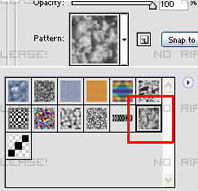
In the Bevel and Emboss menu go to "Pattern overlay" and use this pattern:
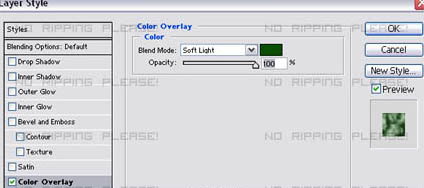
Now go to "Color overlay" and set these settings:
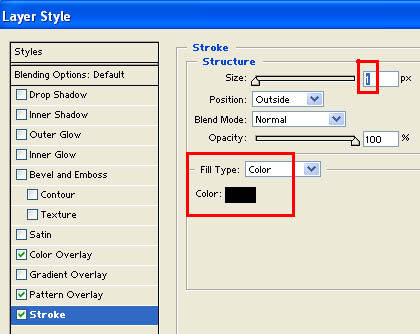
Next you can put on a stroke, this step can be differend because sometimes black doens't look good.
Go to "Stroke and put on a black 1 pixel stroke:
And you are done! Very easy and a quite nice result.
The end.

|